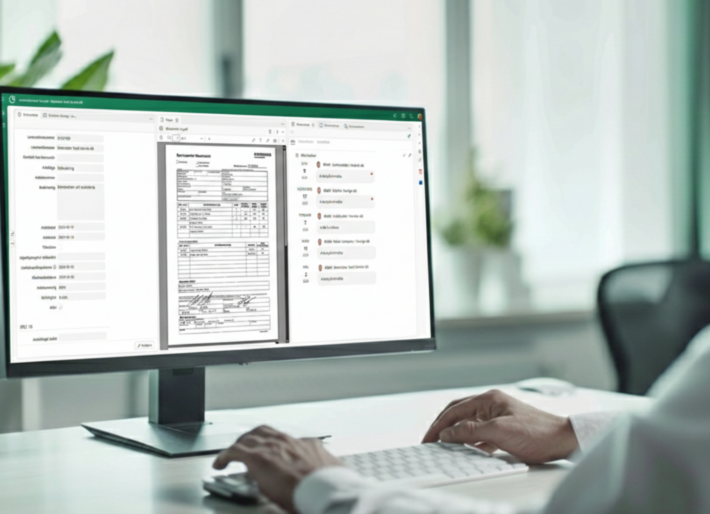
Certificate Management
Full control over certificates. No manual work required.


Full control over certificates. No manual work required.
Eliminate the need to manually track expiration dates, deal with certificates ending up in the wrong folder, and search for updated certificates ahead of audits or procurement processes.
With Conrab Optos' certificate management module, certificates are automatically imported, interpreted, and registered, and then distributed to their intended destinations.
Many organizations manage certificates using a mix of emails, local folders, and separate systems. No one has a complete overview, renewals are missed, and it takes an unreasonably long time to gather the necessary documentation for an audit or to meet a customer’s requirements.

Certificates are automatically retrieved via network import and interpreted according to predefined interpretation templates for each supplier. The system determines on its own how the file should be handled—either by splitting the PDF page by page or by treating the entire document as a single certificate. Registration occurs without any manual effort.
Result: The certificates are automatically entered into the system, without anyone having to do it manually.
The interpretation templates include an auto-delete setting. Documents that are not certificates or that do not meet defined requirements are automatically deleted during the interpretation process and are never recorded in the system. Only documents that are actually valid certificates are processed.
Result: A clean database from the start. No incorrect or irrelevant documents take up space.
Using the Cover PDF module, certificates can be customized and edited before being sent out—for example, by removing certain information or adding a logo. The result is a certificate tailored to the end customer, which is distributed via email directly from the system.
Result: A professional and consistent appearance for all certificates that are forwarded, without the need for manual editing each time.
Interpretation templates are maintained by each supplier and determine how certificates are to be read and recorded. The supplier registry for certificates is managed in the Suppliers-bas module. If a supplier changes the layout of its certificates, the interpretation template is updated and the workflow resumes.
Result: A system that remains reliable even when suppliers change their documents.
Once a certificate has been registered, it is automatically exported to CQD. After the export is complete, it is deleted from Conrab Opto. The process is fully automated; nothing gets stuck, nothing is forgotten, and nothing is stored twice.
Result: The right information in the right place, every time. No duplicate processing.
We have over 30 years of experience digitizing business processes for medium-sized companies in the private sector. Our certificate management module is:

Companies that implement certificate management often highlight:
The peace of mind that comes from knowing no certificate will be missed or end up in the wrong place

Contact us—we’ll show you how to set up an automated certificate workflow tailored to your business and your suppliers. You’ll get to see the entire workflow, ask questions, and receive specific guidance based on your needs.
It takes just 30 seconds to contact us; the rest of the time is saved every time a certificate needs to be processed.

Certificates are automatically retrieved via a network import job. The system retrieves the files from specified paths and begins parsing and registration without manual intervention.
With Normal import, the PDF is split page by page, and each page becomes its own certificate. With Multipage import, the entire PDF is treated as a single certificate. Which mode is used depends on where the file comes from.
The interpretation templates include an auto-delete setting. Documents that do not meet the requirements are automatically flagged and deleted during the interpretation process; they are never saved in the system.
Using the Cover PDF module, certificates can be customized before being sent to the end customer—for example, by removing certain information or adding a logo. This is configured for each supplier certificate and must be updated if the supplier changes its layout.
Once a certificate has been registered, it is automatically exported to CQD. After the export is complete, it is deleted from Conrab Opto, ensuring that the information is always stored in the correct location without duplication.
Yes. Parser templates are created and maintained by each vendor and determine how certificates should be read and which values should be recorded. If a vendor changes the layout of its certificates, the parser template is updated and the workflow resumes as usual.
Absolutely. The module is an integral part of Conrab Optos’ platform and works seamlessly with supplier onboarding and supplier assessment. This ensures a cohesive supplier workflow, from approval and assessment to certificate management, without unnecessary duplication of effort.
Conrabs' case management system adapts to your workflows—whether you're handling 5 or 50 different types of cases.
Want to know more?
The most comprehensive system on the market
Want to know more?