Purchasing Control – Approve Expenses Before They Occur!
No more “unaccounted-for invoices.” Every purchase is approved, assigned a purchase number, and automatically matched to the invoice when it arrives.


No more “unaccounted-for invoices.” Every purchase is approved, assigned a purchase number, and automatically matched to the invoice when it arrives.
With Conrab Optos' purchasing module, you get pre-approval, clear authorization, and full traceability—even for purchases that are never recorded as orders in your ERP system.
In most organizations, unauthorized invoices are handled outside the system. Someone orders a computer, buys snacks, or gets a cell phone without approval, without a purchase order number, and without the finance department knowing about it until the invoice arrives.
The result? No basis for decision-making, difficulty tracking the budget, and an invoice processing system that has to clean up the mess afterward.

Approval before the purchase, not after
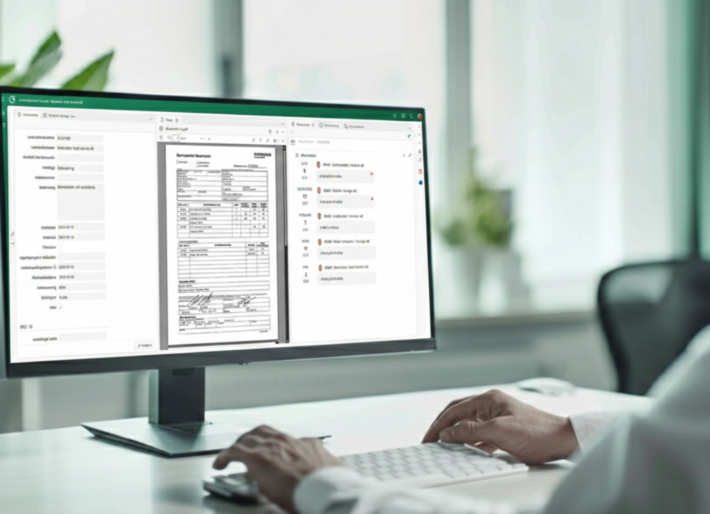
Any purchase that does not have a corresponding order in the ERP system is recorded and approved in Opto before it is processed. The appropriate person authorizes the purchase, the relevant supporting documentation is in place, and the decision is documented from day one.
Result: No more purchases made on one's own initiative. Expenses are approved before they are incurred.
Purchasing numbers that tie everything together
When a purchase is approved, a purchase number is generated in Opto. When the invoice is subsequently received, marked with that number, it is automatically matched, just like a regular purchase invoice.
Result: More streamlined invoice processing, fewer manual checks, and a seamless workflow from order to payment.
Control Without Complexity
Purchasing is designed for purchases that the ERP system’s purchasing modules are not suited for: goods and services without item numbers. For example: computers, phones, office supplies, or entertainment expenses. Easy to use across the entire organization, without the need for training or technical expertise.
Result: More purchases are processed through a structured workflow without being perceived as cumbersome or bureaucratic.
Real-time budget monitoring, not retrospective monitoring
Because purchases are recorded and approved before they are made, finance staff and managers get an up-to-date picture of what is about to be spent—not just what has already been recorded.
Impact: Better information for decision-making, easier prioritization, and financial management that actually keeps up.
Full traceability from request to posted invoice
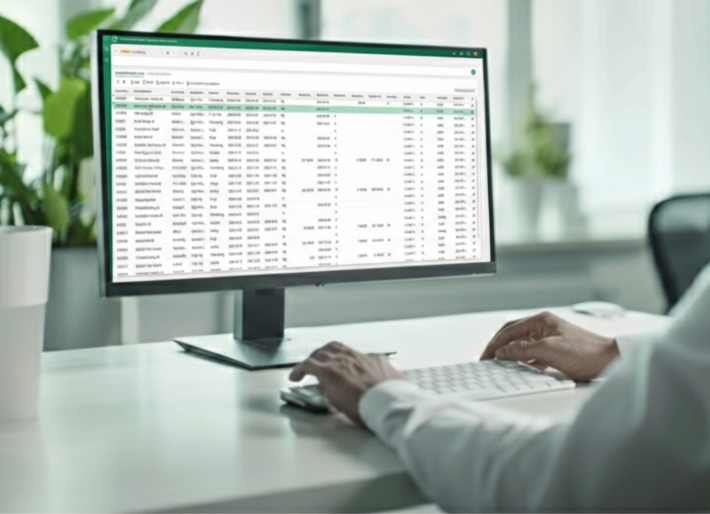
Every purchase is logged, including who requested it, who approved it, what it was for, and when it took place. Everything is stored in the archive and can be searched.
Benefit: Easy to track, easy to review, and easy to present during an audit or internal review.
Companies that implement Conrab Optos's Purchasing feature often highlight:


Establish a system for pre-approval of purchases that are currently made without approval
Manage unstandardized invoices in a structured way without having to rebuild your ERP system or unnecessarily change your workflows
Link purchases to invoices and purchase order numbers for easier matching
Give managers and the finance department a real-time overview of what is being spent and why
Reduce manual work and unnecessary exceptions in invoice processing
Contact us, and we’ll show you how to easily take control of your unmanaged invoices without burdening your organization with complex systems. You’ll get to see the entire workflow, ask questions, and receive practical guidance tailored to your business.
It takes 30 seconds to set it up; after that, you'll save time every time a purchase needs to be approved.

Purchasing is designed for all purchases for which you do not place a purchase order in your ERP system—that is, anything that does not have an item number in your ERP item master. This can include computers, cell phones, office supplies, entertainment expenses, or other unexpected invoices. Instead of these purchases happening without oversight and only coming to light when the invoice arrives, Conrab Opto creates a structured workflow where every purchase is approved before it’s made.
The approval workflow is defined based on your own rules. When someone enters a purchase request in Conrab Opto, it is automatically sent to the appropriate approver based on factors such as amount, cost center, or purchase type. The system keeps track of who needs to approve the request and sends reminders as needed. No email chains, no verbal approvals—just a clear and traceable workflow.
When a purchase is approved in Conrab Opto, a unique purchase number is generated. The invoice is marked with that number and is then automatically matched to the purchase when it is received, just like a regular purchase invoice with a PO number. This eliminates manual checks and reduces the risk of invoices being misfiled or lacking approved documentation.
No. Conrab Opto’s Procurement module is designed as a layer on top of your existing financial system and requires no changes to your ERP. We integrate Conrab Opto with your existing systems so that invoice matching works seamlessly without the need for parallel solutions or duplicate work. Most companies are up and running within a few weeks.
Since purchases are recorded and approved before they are made, the finance department and managers get an up-to-date picture of what is about to be spent—not just what has already been recorded. All purchases are logged with details of who requested them, who approved them, the amount, and the purpose. This provides a clear basis for decision-making, simplifies budget monitoring, and makes it easy to track costs during internal controls or audits.
Yes. Conrab Opto can be integrated with your business and financial systems. You’ll avoid duplicate work—all the information is linked.
The system is easy to implement, cloud-based, and requires minimal effort from the IT department. Most customers are up and running within a few days.
Conrabs' case management system adapts to your workflows—whether you're handling 5 or 50 different types of cases.
Want to know more?
The most comprehensive system on the market
Want to know more?